1:12
15608372_3840_2160... 394.5 MB · May 18, 2026

Grail is a Media Asset Manager for Church IT leaders that indexes all your NAS drives so you can stop digging through Finder.
Trusted by church tech teams at









Search B Roll, Speakers, and Transcripts
Person Detection
Faces are indexed locally and grouped into named people. Pick a name to see every clip they appear in, down to the second.
 1 photo 1 photo 1 photo
 Asset Search
Grail indexes every folder on every drive. Filter by duration, resolution, or date and get results before you finish typing — duplicates flagged automatically.
394.5 MB · May 18, 2026
47.1 MB · May 18, 2026
26.5 MB · May 18, 2026
7.0 MB · Jan 23, 2026
15.0 MB · Jan 22, 2026
2 copies8.0 MB · Jan 22, 2026
2 copies1:30I'm thinking my past or what I've already gone through. Well, I'd love to introduce you to a guy named Saul.
1:39Saul was a guy who had a past that you would have thought, man, this guy is not going to do what God wants him to do.
1:52And really, that guy was named — his name was Saul, and he was somebody that persecuted Christians.
Transcription
Transcripts generate on ingest, locally. Search a phrase, jump straight to the frame it was said on, and export SRT or VTT for the edit.
Grail is currently in an exclusive beta. As churches have tried Grail, here are the top 3 reasons that Grail is not a good fit — and what we're doing to help.
If video isn't a central part of your Church then Grail may not be worth the investment.
If you have less than 10 TB on your NAS, you might be fine using Finder to access your media.
If you don't have a Mac, we'll send you one. Click here to see which hardware is right for you.
Search by transcripts, metadata, and person recognition to find what you need.
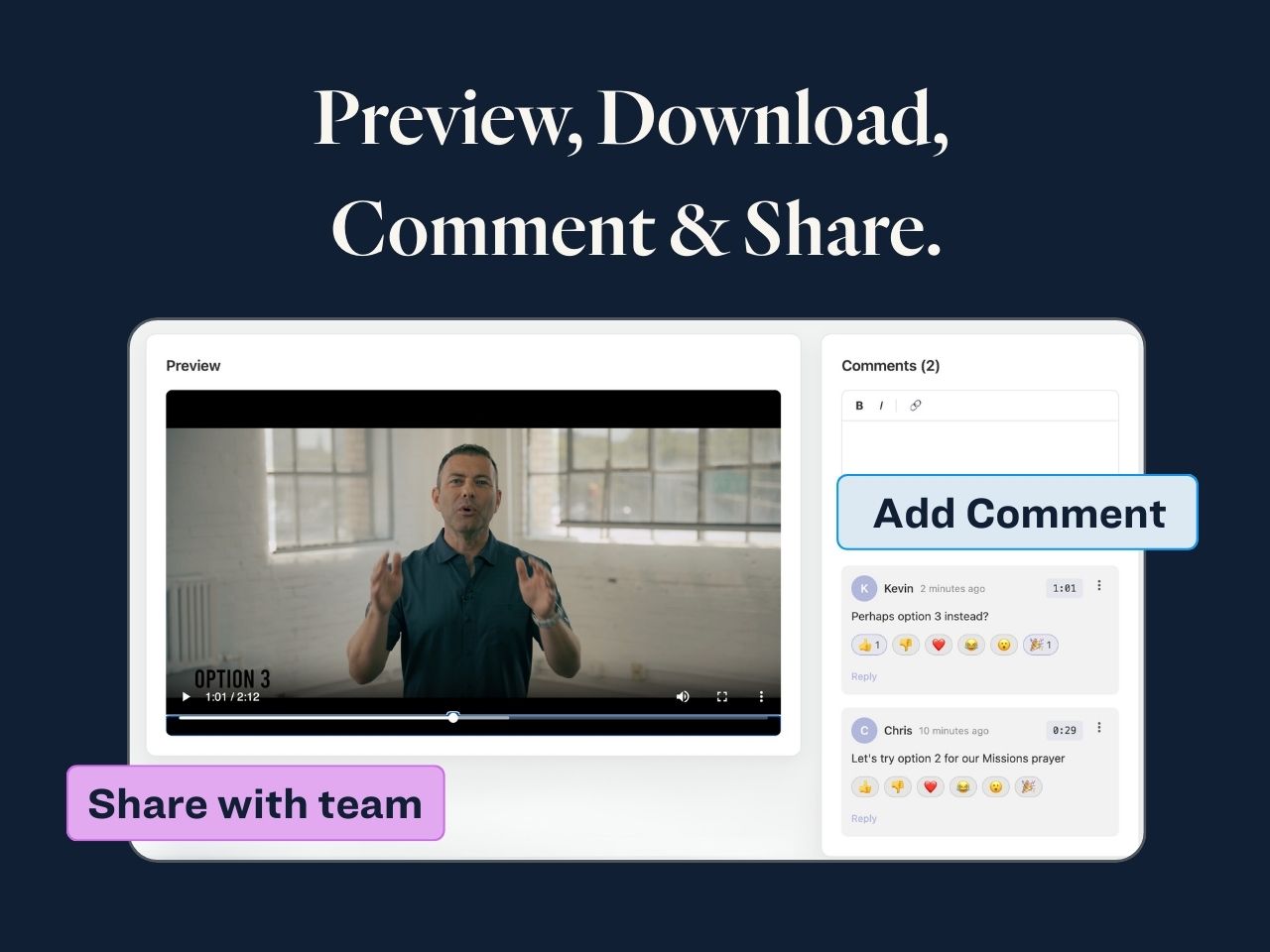
See what's inside a video or photo before pulling it to your machine. No more downloading the wrong 8GB file.
Creative, pastoral, worship, and production staff all sign in with SSO. No VPN. No shared passwords. Control who sees what with user permissions.
Nothing moves. Grail installs on a Mac on your network, indexes your NAS locally, and makes it searchable through your browser from anywhere.
Grail indexes everything on your NAS. Video, photos, PDFs, and more. Search from any browser, no VPN required.
Your whole staff signs in with SSO. No invite emails to chase down. Preview videos and photos from anywhere, then copy the file path when you're ready to download.

"The more we've used archived content for storytelling, the more we've realized that quickly finding old content is just as important as safely storing new content."

"I can quickly grab multiple files and send the whole batch to our editors."
"Grail transcribed all my large videos. Gemini could not do it."
"When memory fails, search wins. Grail made our media library searchable anywhere."

"I found thousands of files we did not need anymore, saving us a lot."
No. Grail enables secure access by having your network initiate an outbound connection to our servers, rather than opening your NAS to the public internet. Your video team can find footage during off-site shoots, your creative team can search from Starbucks, and your IT director can sleep at night.
Grail runs on a Mac Mini or Mac Studio. You can use your own hardware, or get one of the devices included in each Grail plan.
Grail never moves your files. Grail reads, indexes, and searches — it doesn't copy or store your media. Your content, your control.
Works with the tools your team uses every day